Aether on Windows
Ten minutes, start to first case. Everything below works as a normal user; the two places Windows itself insists on an administrator prompt (Go’s installer, Npcap) are called out, with a no-admin alternative where one exists.
Works on: Windows 10 (1809+) and Windows 11, 64-bit.
1. Install the app
- Download
Aether Setup x.y.z.exefrom GitHub Releases. - Run it. If SmartScreen shows “Windows protected your PC”, click More info → Run anyway — the installer is not code-signed yet.
- Pick an install folder (the default is fine) and finish. Aether appears in the Start menu.
Prefer to run from source? Install Node LTS and Git, then:
winget install -e --id OpenJS.NodeJS.LTS
winget install -e --id Git.Git --scope user
git clone https://github.com/fknMega/Aether.git
cd Aether/app
npm install
npm run dev
2. Choose a model
The first screen asks one thing: which model Aether should think with. Pick one and set it up right there — the screen steps aside the moment that backend is reachable. You can change it any time in Settings → Model.
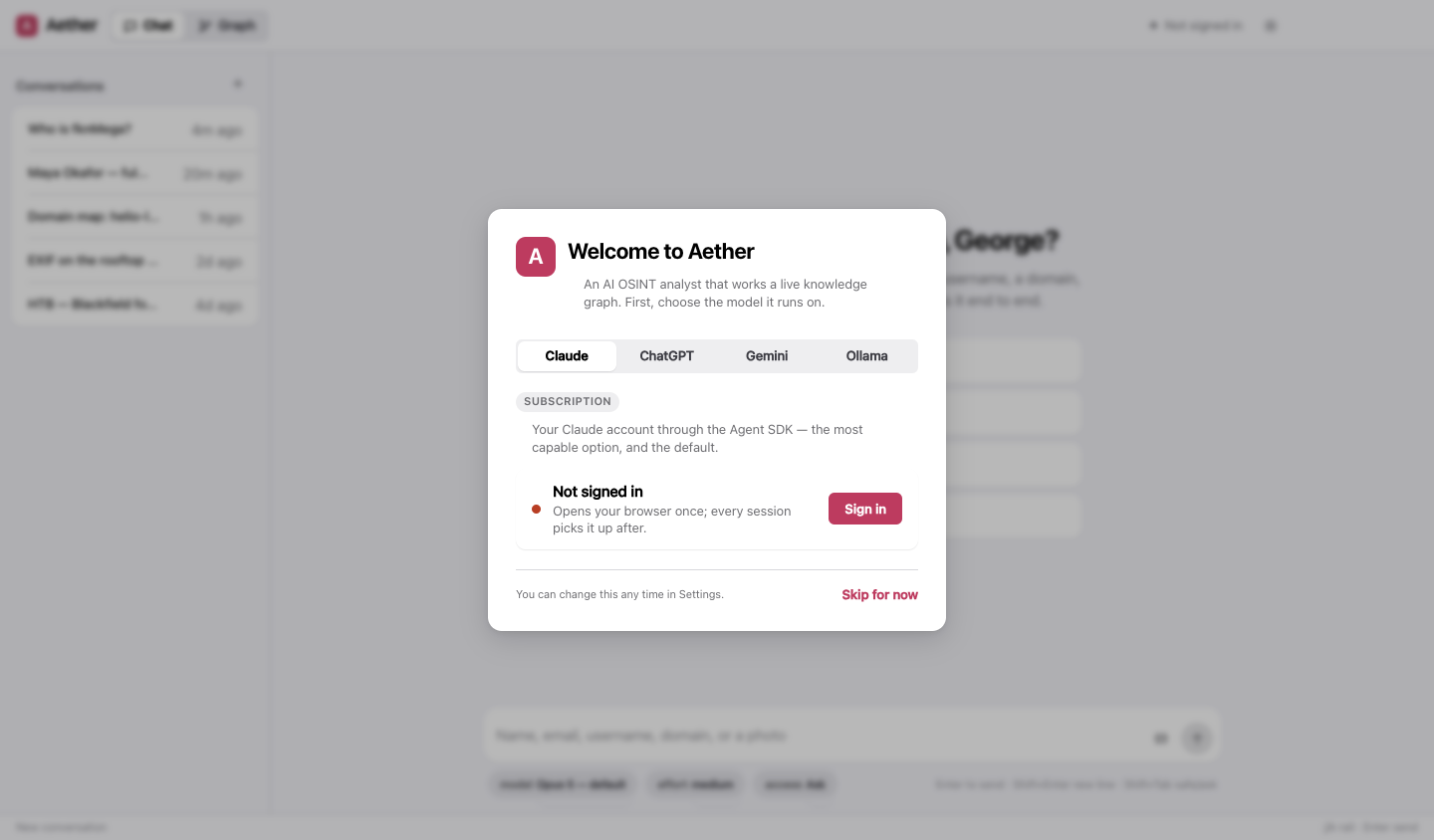
| If you have… | Pick | Then |
|---|---|---|
| A Claude subscription (Pro or Max) | Claude | Sign in opens your browser once; come back when it’s done |
| An OpenAI API key | ChatGPT | Paste the key and Connect |
| A Google account | Gemini | Get a free key at aistudio.google.com/apikey, paste it, Connect |
| Nothing, and you’d rather keep it local | Ollama | See below |
Details for each — models, effort, what they cost — are on the providers page.
Running fully local with Ollama
Nothing leaves your machine. Ollama needs a model that supports tool calling — that is what lets Aether search and write the graph rather than just chat.
winget install -e --id Ollama.Ollama       # installs and starts Ollama (it lives in the tray)
ollama pull qwen3                          # a tool-capable, thinking model; gemma4, gpt-oss and llama3.1 also work
Then in Aether pick Ollama and press Scan.
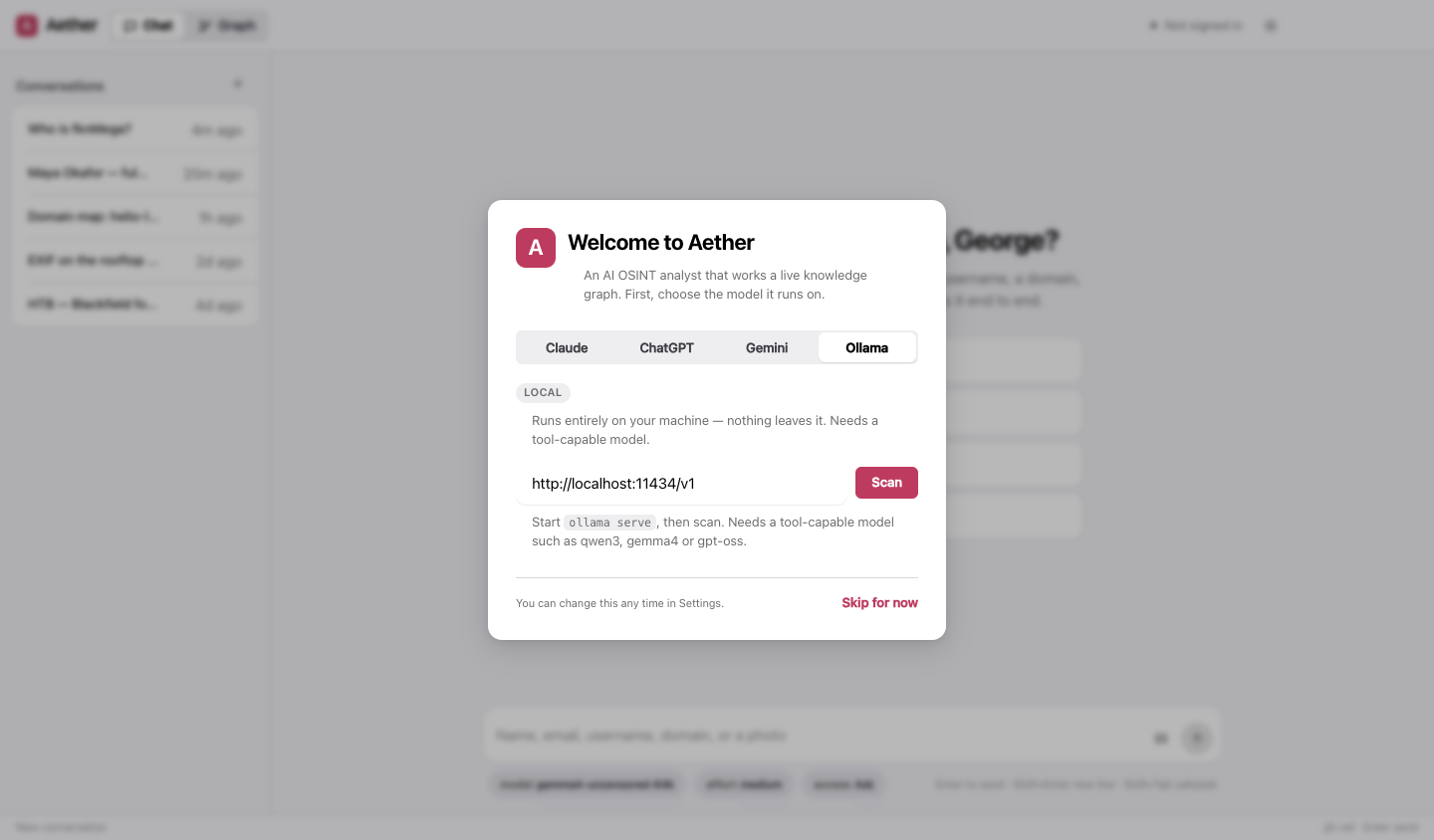
Every model you have pulled is listed — in the first-run screen and in Settings → Model — marked with what it can do and which one is loaded right now.
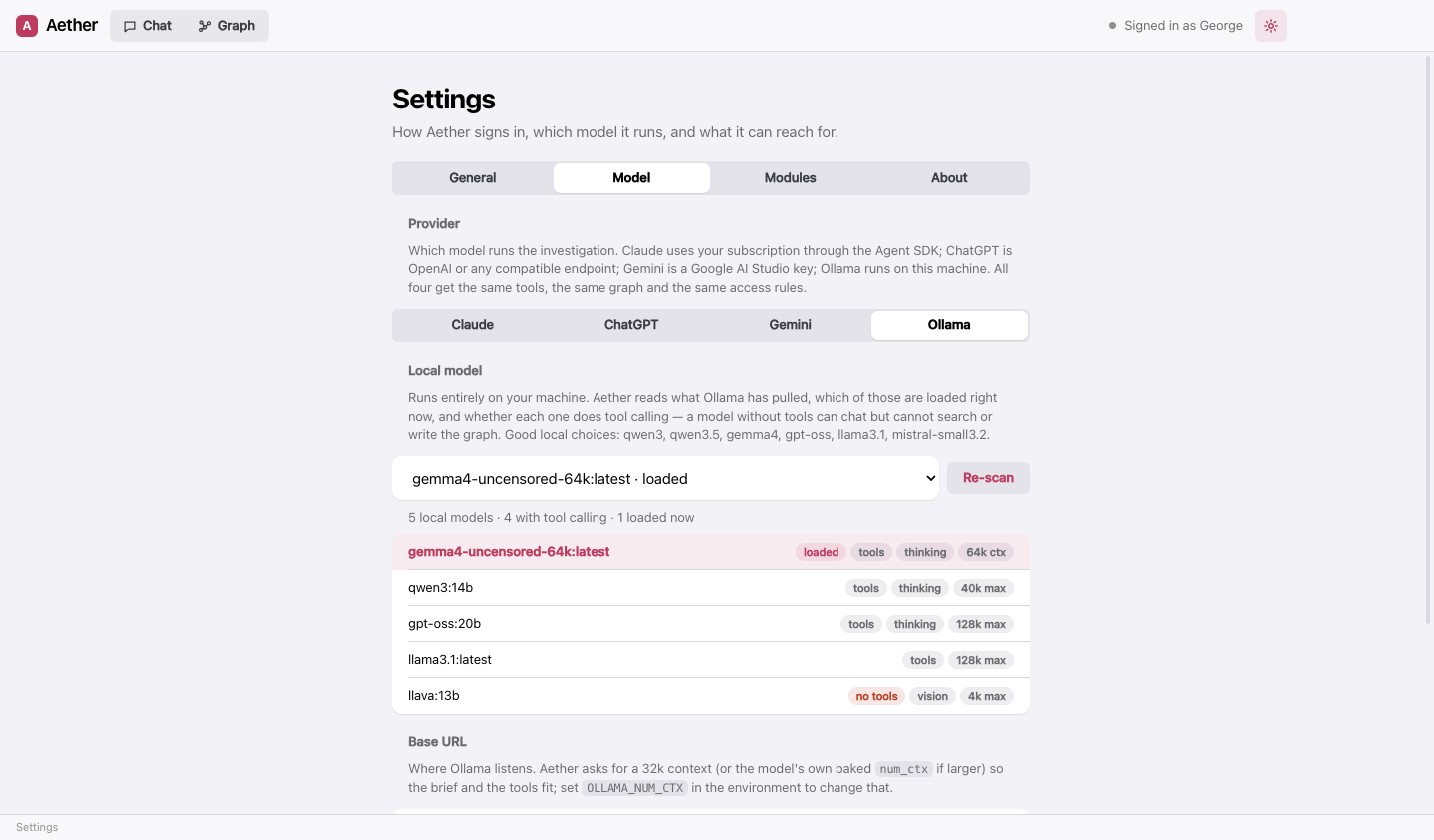
A GPU with 8 GB of memory runs 8B-class models well; 12B–14B models want 12–16 GB. Aether asks Ollama for a 32k context window so that its brief and tools fit.
3. The tools (optional, recommended)
After the model, Aether offers to install the command-line tools its bundled modules wrap. It is one button, it is optional, and it never runs on its own.
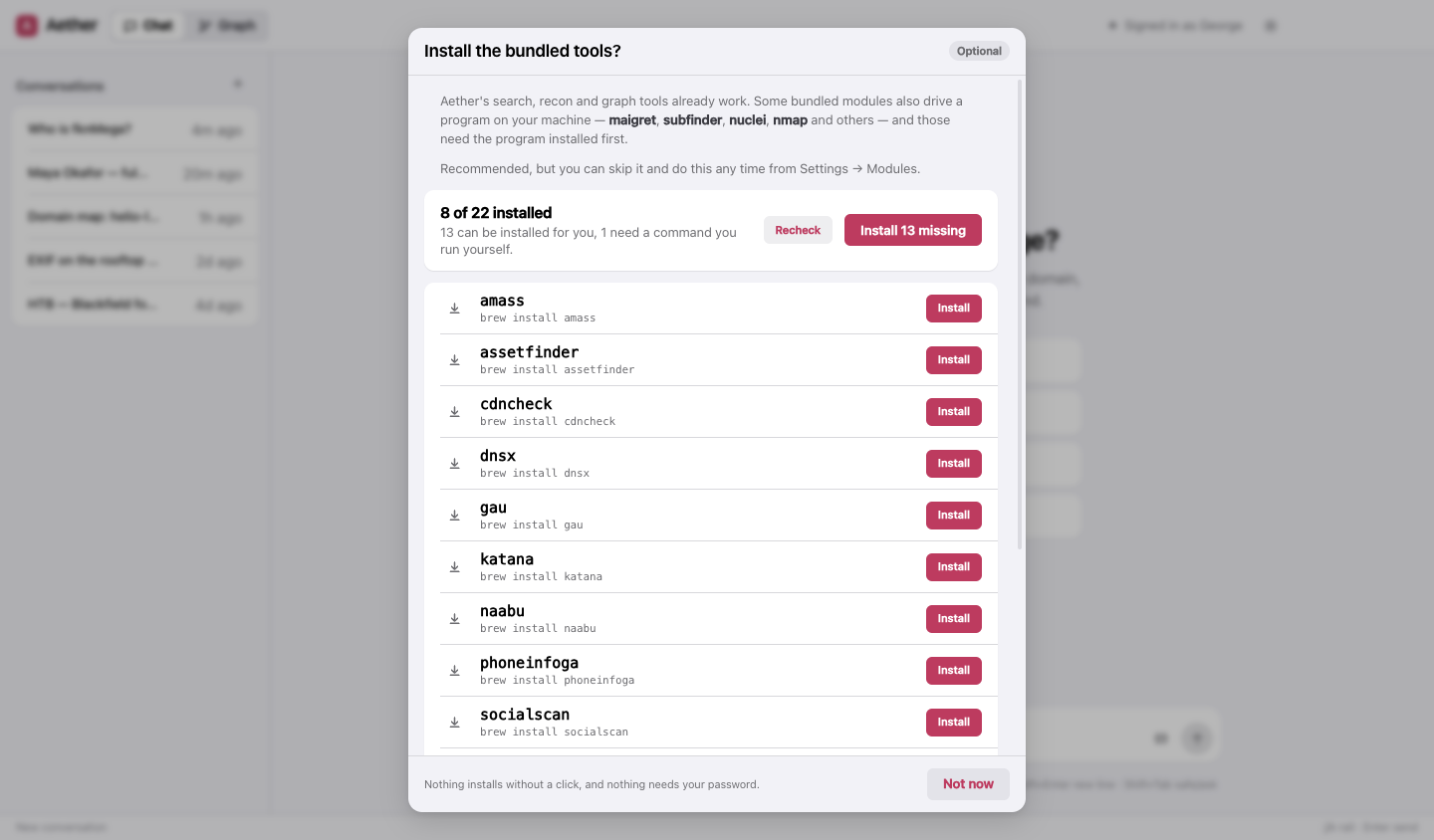
On Windows the tools come from three places, none of which Windows ships with. Install the ones you want first, in a PowerShell window (no administrator needed except where noted):
# Python + pipx — for maigret, holehe, socialscan, wafw00f
winget install -e --id Python.Python.3.13 --scope user
py -m pip install --user pipx
py -m pipx ensurepath

# Go — for httpx, subfinder, nuclei, dnsx, naabu, katana, tlsx, cdncheck, gau, waybackurls, assetfinder, webanalyze
winget install -e --id GoLang.Go            # asks for administrator rights
#   … or, without administrator rights:
Set-ExecutionPolicy -ExecutionPolicy RemoteSigned -Scope CurrentUser
irm get.scoop.sh | iex
scoop install go

# Scoop — also the route for nmap, sslscan, nuclei and amass on Windows (see above to install it)
Close and reopen Aether after installing these, so it sees the new PATH. Then, in Settings → Modules, turning on a module whose program is missing installs it — and the row tells you which prerequisite is missing when one is.
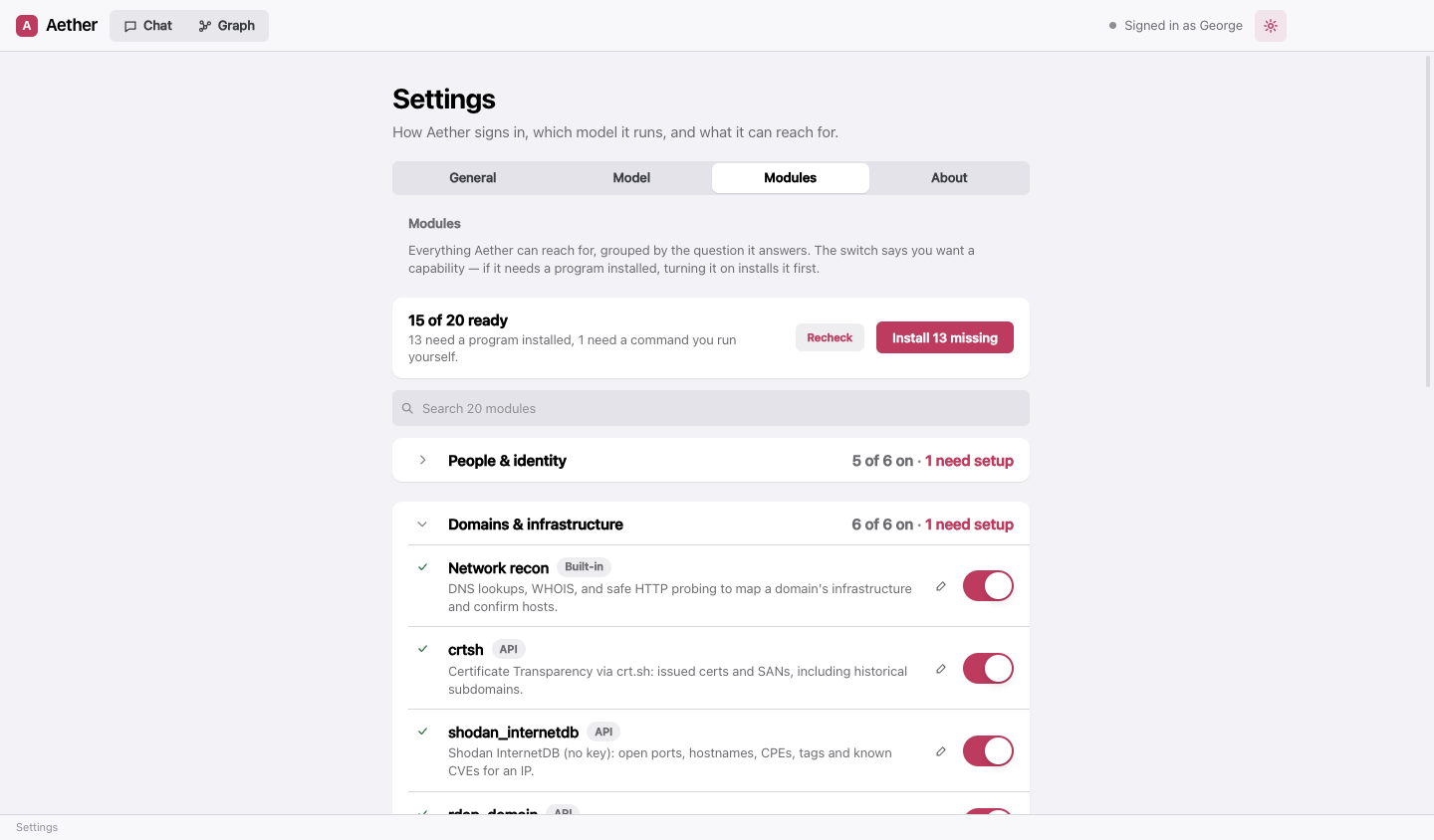
Things to know on Windows:
- nmap and naabu need Npcap to capture packets. Npcap has no silent installer and always asks for administrator
rights, so it stays a one-time step of yours: run the
npcap.exethat comes with nmap (%USERPROFILE%\scoop\apps\nmap\current\npcap.exe), or get it from npcap.com. - wpscan needs Ruby with its DevKit:
winget install -e --id RubyInstallerTeam.RubyWithDevKit.3.4 --scope user, a new terminal, thengem install wpscan --no-document. Upstream doesn’t officially support Windows. - WhatWeb and Nikto are Ruby and Perl scripts with no Windows package. Aether shows the clone-and-run route in the module’s row; webanalyze (installable) covers technology fingerprinting.
- Command modules run in PowerShell, not cmd.exe — so a module’s command uses PowerShell syntax, the input
arrives as a single-quoted literal in place of
{input}, and keys are available as$env:NAME. An input containing",&,|,<,>,^,%or!is refused on Windows: PowerShell cannot pass those to a program safely, so Aether asks the model to rephrase rather than guess.
4. Your first case
Type a selector into the chat — a handle is a good first one — and watch the Graph tab fill in. The three picks under the message box are the model, the reasoning effort, and the access level: what Aether may do on this machine without asking.
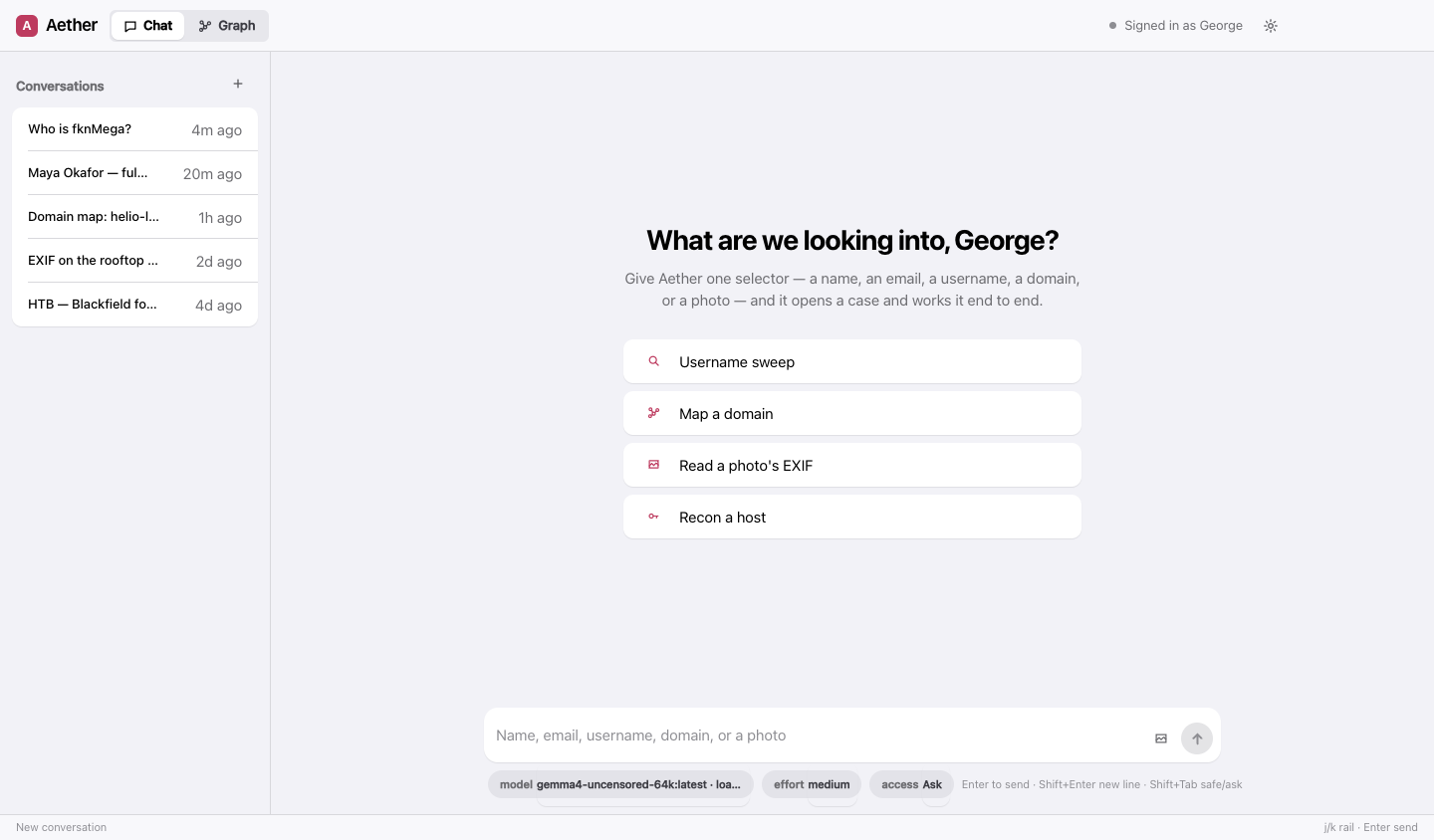
The default access level is Ask: Aether can reach for the shell, fetch a URL it picked, or install a bundled tool, and each request comes to you with the exact command shown in full. Shift+Tab in the message box toggles Safe and Ask.
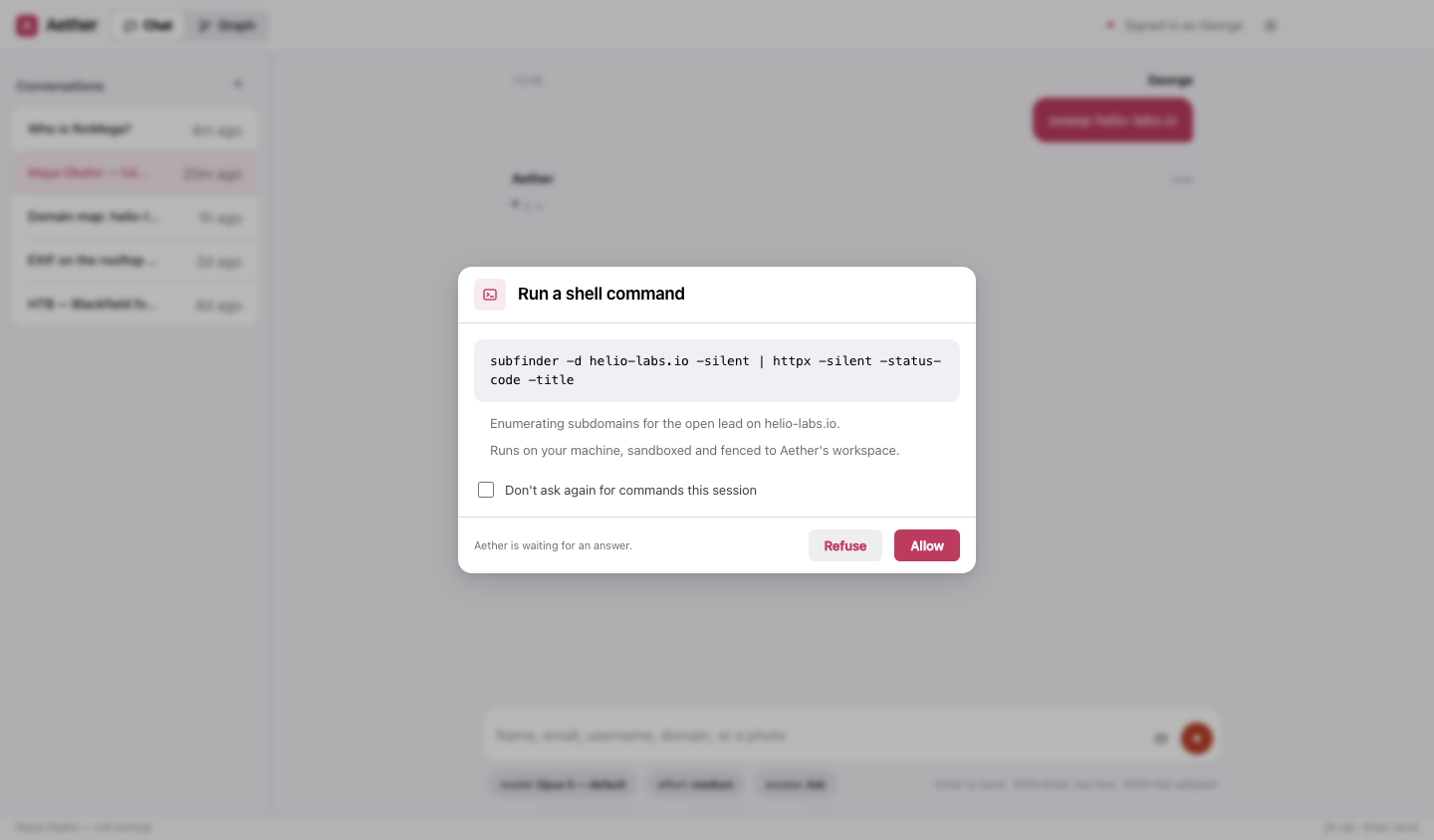
One honest difference from macOS: Windows has no OS-level sandbox for the shell Aether runs. The workspace fence, the credential deny-list and the access levels all apply, but there is no kernel underneath them the way Seatbelt is on a Mac. Stay on Ask (the default) unless you have a specific reason not to, and read what a prompt shows you before allowing it.
Troubleshooting
A tool installed fine but Aether says it’s missing. Aether reads PATH when it starts. After installing Python,
Go or Scoop, close Aether and open it again. It also looks in the usual places on its own (%USERPROFILE%\.local\bin
for pipx, %USERPROFILE%\go\bin for Go, %USERPROFILE%\scoop\shims for Scoop).
A module’s row says “Install Python and pipx first: …”, “Install Go first: …” or “Install Scoop first: …”. That line is the exact command for the one package manager the module needs. Run it, reopen Aether, press Recheck. A few tools (nmap’s Npcap, nikto, wpscan, whatweb, phoneinfoga) have no Windows package at all; their row starts “Install … yourself” and gives the download or clone steps instead.
pipx isn’t recognised in my terminal. py -m pipx ensurepath, then a new terminal. Aether calls pipx through
py -m pipx itself, so it works either way.
The Claude sign-in opened nothing. Sign in from a terminal in the app folder with npm run login (source
install), then Settings → General → Recheck (the pane also re-reads the status each time you open it).