Aether on macOS
Ten minutes, start to first case. Everything below is done as your normal user — Aether never asks for your password, and neither does anything it installs.
Works on: macOS 13 Ventura or newer, Apple Silicon or Intel.
1. Install the app
- Download the latest
Aether-x.y.z-arm64.dmg(Apple Silicon) orAether-x.y.z.dmg(Intel) from GitHub Releases. - Open the disk image and drag Aether into Applications.
- First launch: if macOS says the app “cannot be opened because Apple cannot check it”, right-click Aether in Applications, choose Open, and confirm. You only do this once.
Prefer to run from source? You need Node 18 or newer (brew install node):
git clone https://github.com/fknMega/Aether.git
cd Aether/app
npm install
npm run dev
2. Choose a model
The first screen asks one thing: which model Aether should think with. Pick one and set it up right there — the screen steps aside the moment that backend is reachable. You can change it any time in Settings → Model.
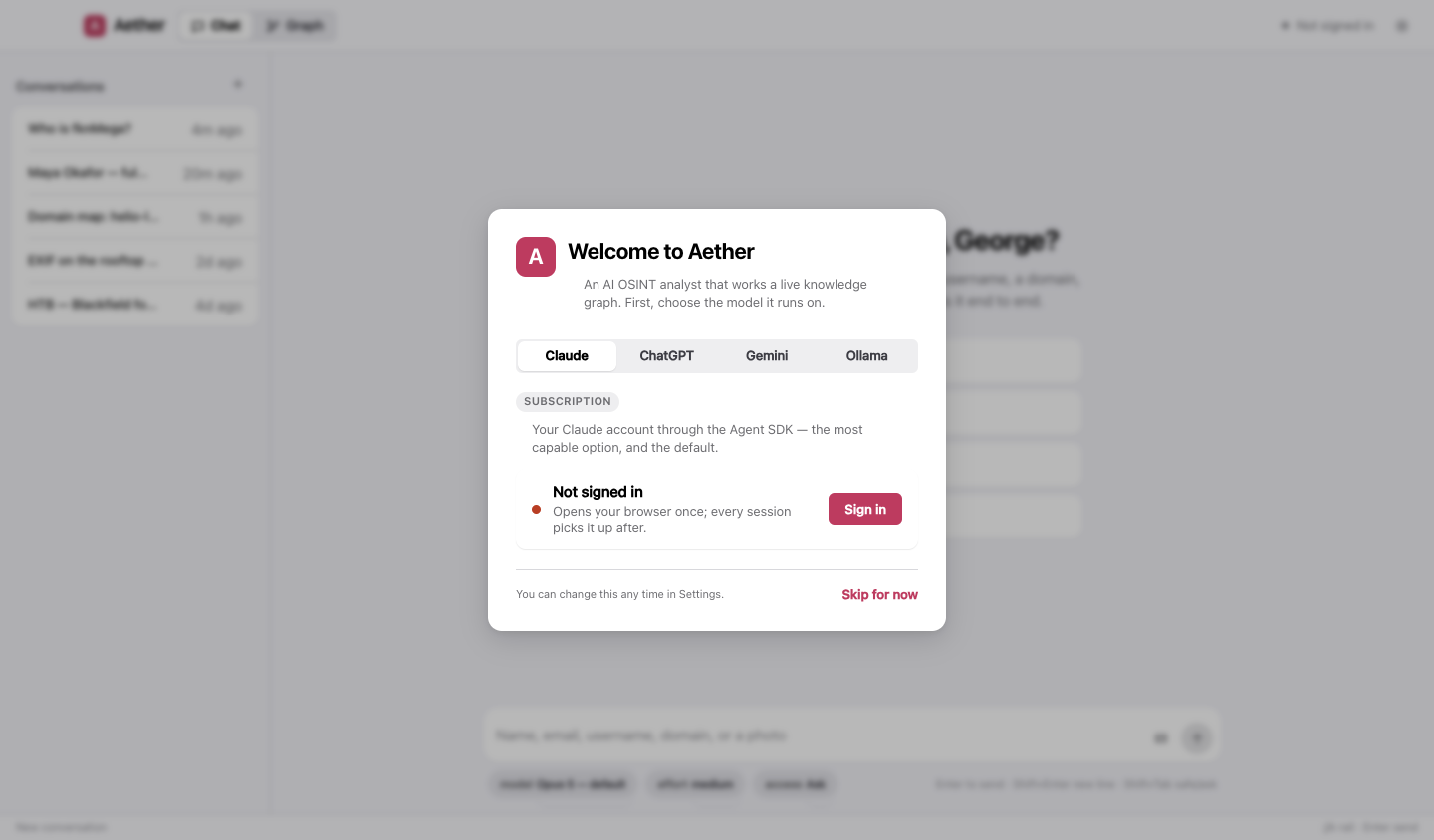
| If you have… | Pick | Then |
|---|---|---|
| A Claude subscription (Pro or Max) | Claude | Sign in opens your browser once; come back when it’s done |
| An OpenAI API key | ChatGPT | Paste the key and Connect |
| A Google account | Gemini | Get a free key at aistudio.google.com/apikey, paste it, Connect |
| Nothing, and you’d rather keep it local | Ollama | See below |
Details for each — models, effort, what they cost — are on the providers page.
Running fully local with Ollama
Nothing leaves your machine. Ollama needs a model that supports tool calling — that is what lets Aether search and write the graph rather than just chat.
brew install ollama          # or download from https://ollama.com
ollama serve                 # leave this running (Ollama.app does this for you)
ollama pull qwen3            # a tool-capable, thinking model; gemma4, gpt-oss and llama3.1 also work
Then in Aether pick Ollama and press Scan. Every model you have pulled is listed, marked with what it can do and which one is loaded right now.
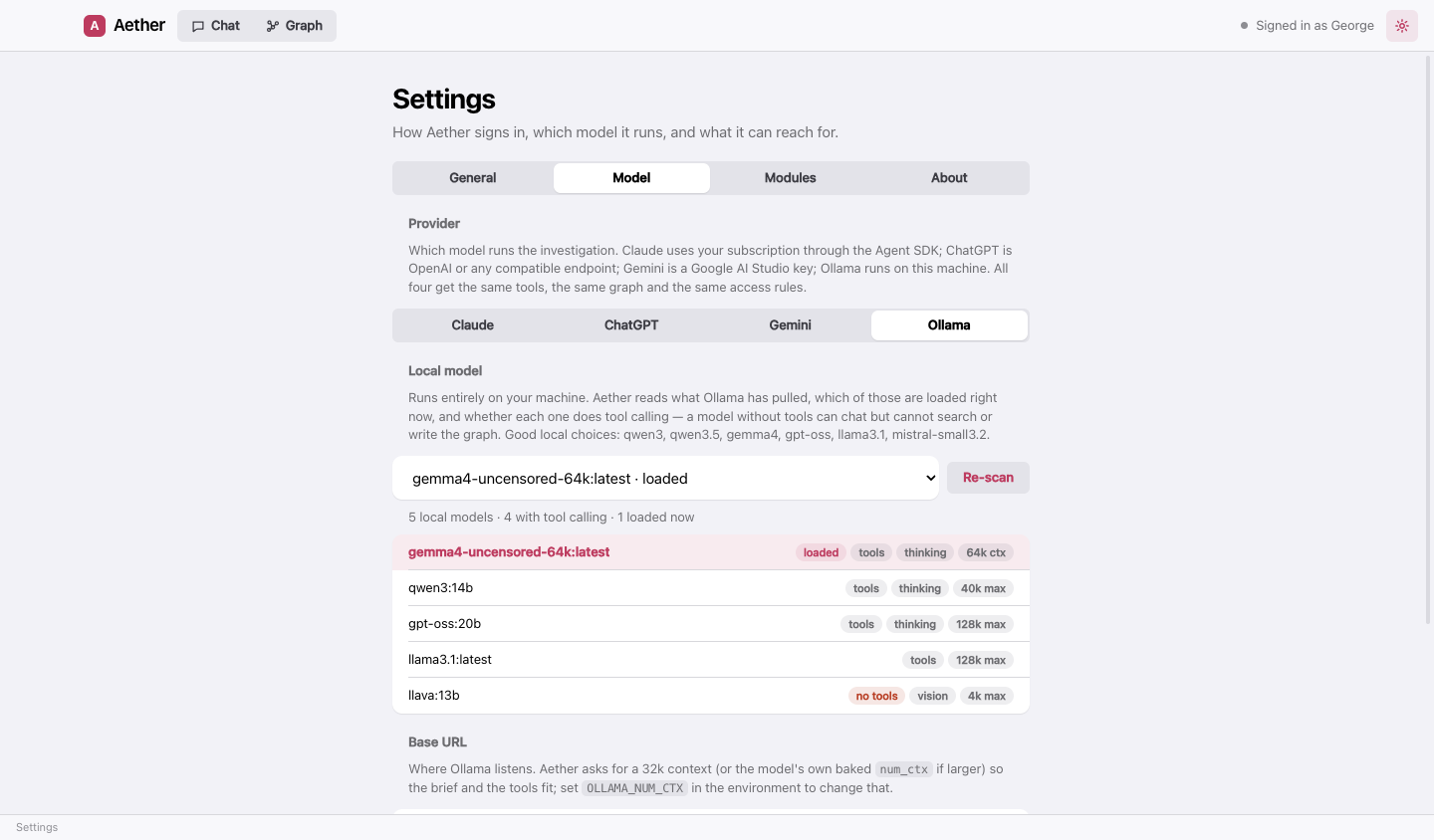
Aether asks Ollama for a 32k context window (or the model’s own baked-in size if larger) so that its brief and tools fit. On a Mac with 16 GB, models up to about 14B parameters run comfortably.
3. The tools (optional, recommended)
After the model, Aether offers to install the command-line tools its bundled modules wrap. It is one button, it is optional, and it never runs on its own.
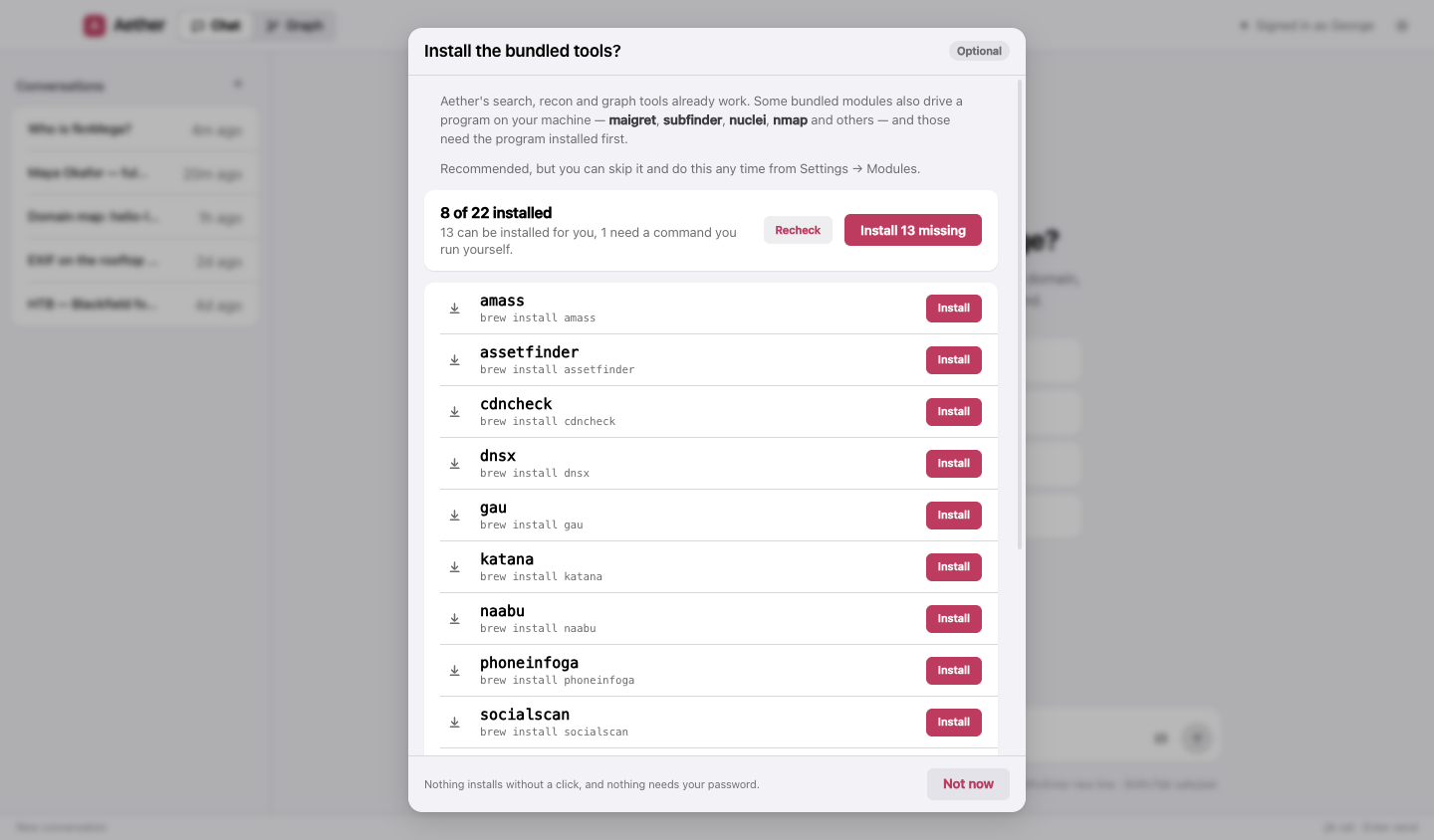
Most tools come from Homebrew; a few Python ones use pipx and a few Go ones use go install. Install what you don’t have first:
/bin/bash -c "$(curl -fsSL https://raw.githubusercontent.com/Homebrew/install/HEAD/install.sh)"   # Homebrew
brew install pipx go
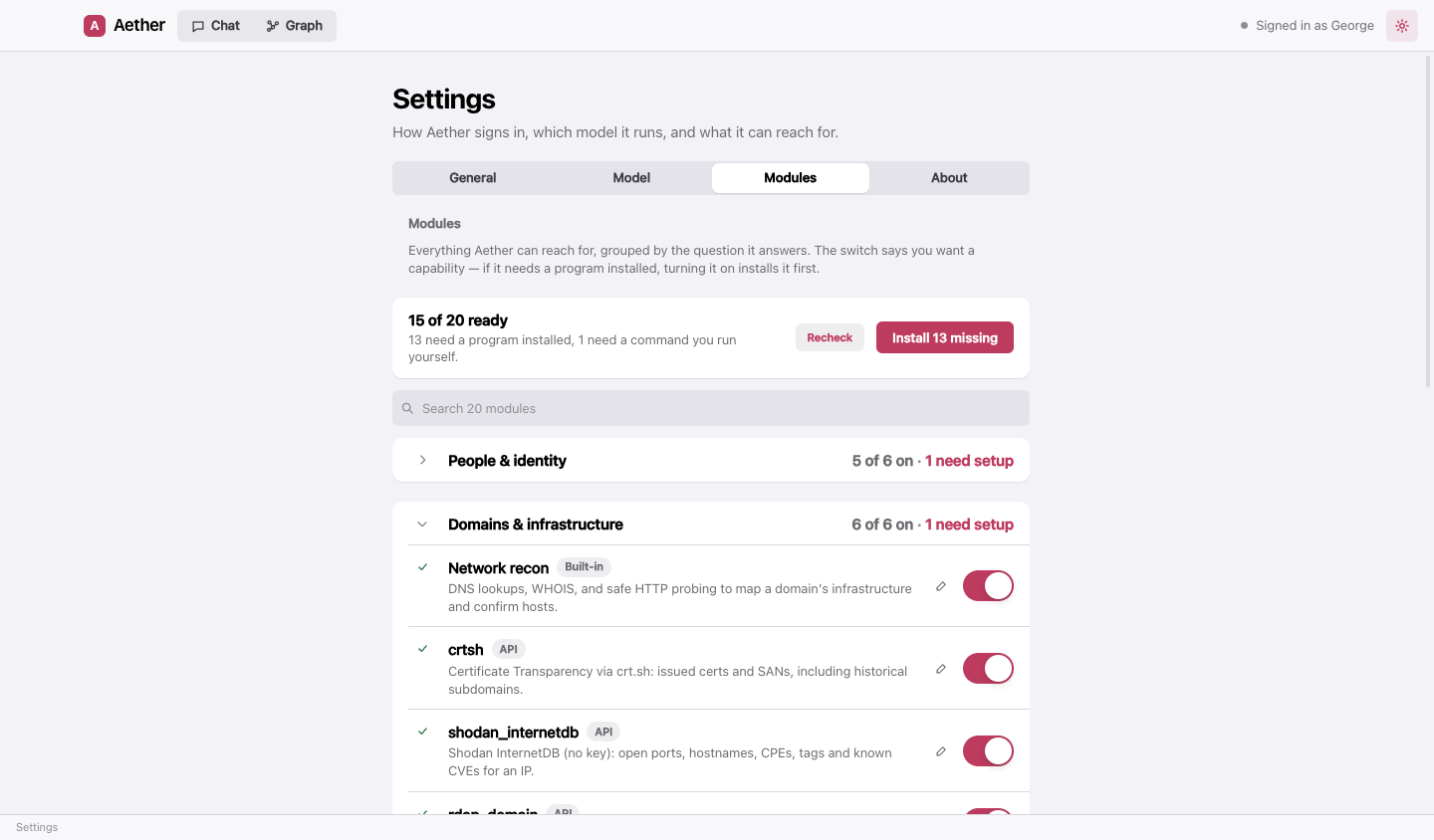
Everything can also be done later, one module at a time, from Settings → Modules: turning on a module whose program is missing installs it first.
Two tools want a note:
- WhatWeb isn’t packaged for macOS — it is a Ruby program you clone. Aether shows you the exact command; or use webanalyze, which installs itself and fingerprints technologies the same way.
- wpscan builds from source through its official tap and needs a working C toolchain. If it fails with
“Failed to build gem native extension”, update the Command Line Tools:
xcode-select --install, or install the Xcode that matches your macOS.
4. Your first case
Type a selector into the chat — a handle is a good first one — and watch the Graph tab fill in. The three picks under the message box are the model, the reasoning effort, and the access level: what Aether may do on this machine without asking.
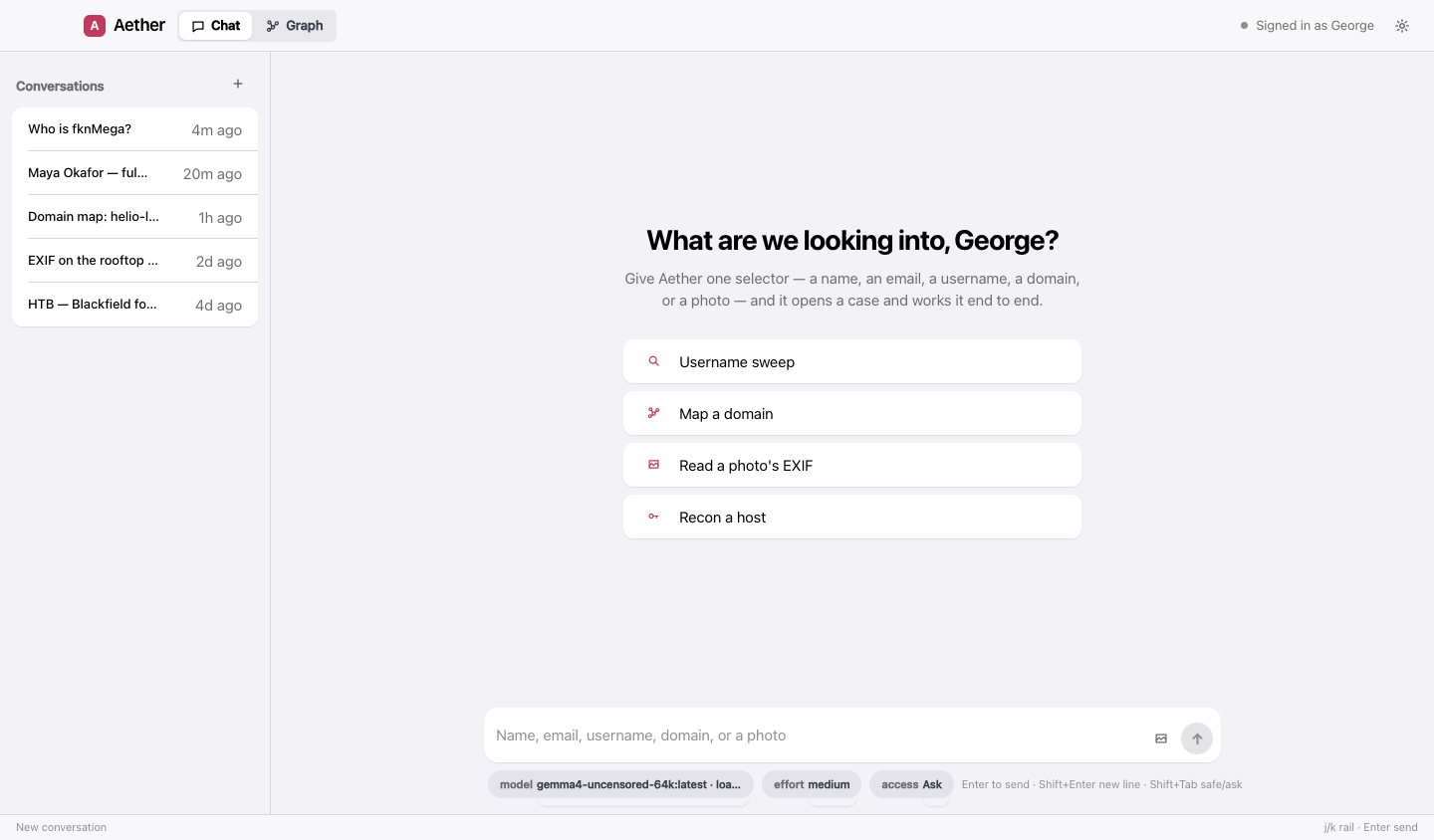
The default access level is Ask: Aether can reach for the shell, fetch a URL it picked, or install a bundled tool, and each request comes to you with the exact command shown in full. Shift+Tab in the message box toggles Safe and Ask.
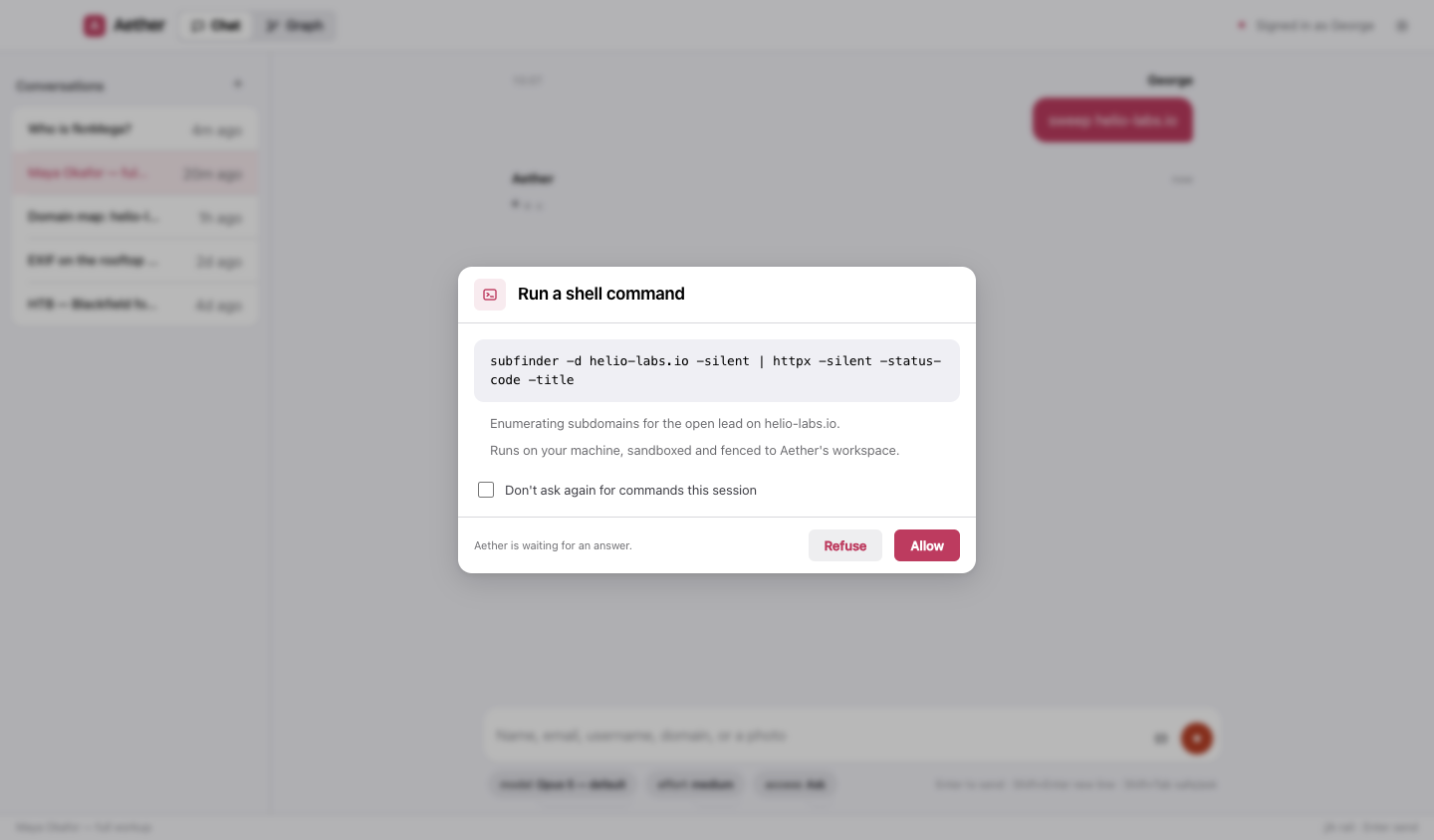
Commands run in an OS sandbox (Seatbelt), file reads cannot leave Aether’s workspace, and your credentials — SSH keys, browser profiles, cloud tokens — stay off-limits at every level.
Troubleshooting
“Homebrew … Couldn’t find manifest matching bottle checksum.” Homebrew’s metadata is out of step with its
downloads; Aether already retries after a brew update. If it persists (a macOS beta, or a Homebrew development
build), run brew update-reset, or let Aether try the next route — it does so on its own.
“The following taps are not trusted.” Homebrew 6 loads nothing from a third-party tap you haven’t trusted.
Aether installs tap formulae by their full name (wpscanteam/tap/wpscan), which trusts just that formula. The
warning about other taps on your machine is Homebrew talking about them, not about the install in hand.
A tool is installed but Aether says it isn’t. GUI apps don’t see your shell’s PATH. Aether repairs its own
PATH at start (Homebrew, ~/.local/bin, ~/go/bin, gem bin dirs) and asks your login shell for the rest. If you
installed something in an unusual place, add it to your shell’s PATH and restart Aether.
Sign-in to Claude never completes. Run npm run login from the app folder (source install) or check
that the browser window finished; Settings → General → Recheck re-reads the status, and the pane re-reads it
on its own each time you open it.